Your bank account holds far more than just digital currency; it holds the foundation of your financial security, your peace of mind, and your future purchasing power. In an increasingly digital world, the walls between your hard-earned savings and cybercriminals are constantly being tested. Hackers are perpetually developing new, sophisticated methods to bypass security measures, but you do not have to be a passive victim. By implementing simple but highly effective security protocols, you can stay several steps ahead of malicious actors.
As a financial advisor, I often see clients who are meticulous about their investment portfolios and budgeting, yet leave the digital vault holding those assets completely unprotected. Securing your bank account is not just an IT issue; it is a fundamental pillar of personal finance. If your accounts are compromised, your financial plan collapses regardless of how well you save or invest.
This comprehensive guide will walk you through the most powerful, actionable tools and habits you need to fortify your financial life. From advanced authentication methods to behavioral changes that minimize your digital footprint, we will cover everything you need to know to keep your money safe.
The Foundation: Passwords and Advanced Authentication
The first line of defense for any digital asset is the authentication process. For years, a simple username and password were considered sufficient, but in today’s threat landscape, they are barely a speed bump for determined hackers.
Upgrading to Strong, Unique Passwords
A strong password is the bedrock of your account security. It should be at least 12 to 16 characters long and utilize a complex mix of uppercase letters, lowercase letters, numbers, and special symbols. However, length and complexity are only half the battle. The most critical rule of modern password hygiene is uniqueness. You must use a completely different password for your bank account than you use for any other website or service.
Hackers frequently employ “credential stuffing” attacks. They take passwords leaked from low-security websites (like a random forum or a compromised retail store) and use automated bots to test those exact email and password combinations on major banking portals. If you reuse passwords, a breach at a completely unrelated company could hand over the keys to your bank account.
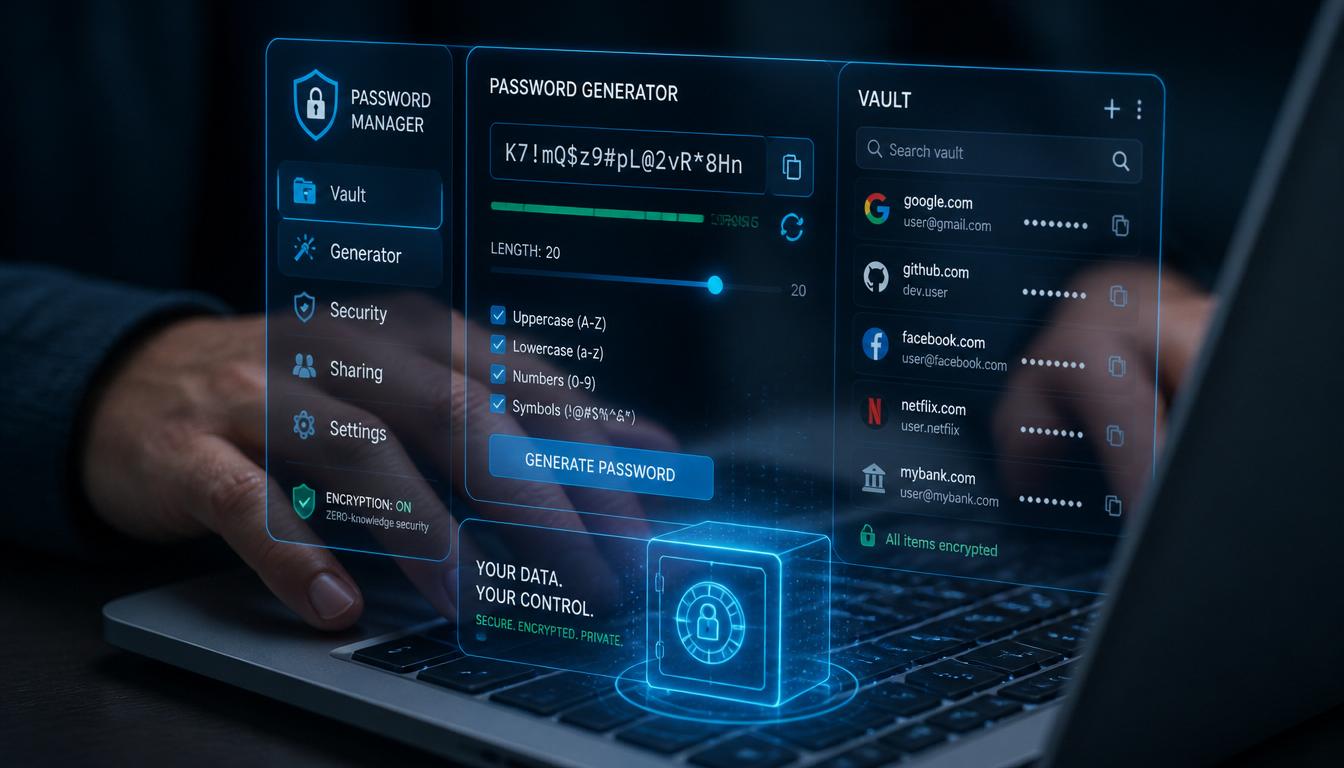
Because remembering dozens of complex, unique passwords is impossible for the human brain, you should absolutely utilize a reputable password manager. A password manager generates, stores, and autofills strong passwords for you, meaning you only ever have to remember one master password. Ensure this master password is exceptionally strong and never share it. Furthermore, avoid typing your banking credentials on public or shared computers, as keyloggers can easily capture your inputs.
The Non-Negotiable Power of Two-Factor Authentication (2FA)
If a password is the lock on your door, Two-Factor Authentication (2FA) is the security guard standing inside. 2FA adds a mandatory second layer of verification beyond your username and password. Even if a hacker successfully steals your password, they cannot access your account without this second factor.
Most banks offer 2FA, which typically involves sending a temporary code to your phone or email. However, not all 2FA is created equal. While SMS text message codes are better than nothing, they are vulnerable to “SIM swapping” attacks, where a hacker tricks your mobile carrier into transferring your phone number to their device.
For maximum security, you should use an authenticator app (like Google Authenticator, Authy, or Microsoft Authenticator) or a physical hardware security key. These methods generate time-based, one-time passwords (TOTP) locally on your device or key, making them virtually immune to remote interception. Activating 2FA on every single financial account takes only a few minutes, but it is arguably the single most effective way to block unauthorized access. Hackers are largely opportunistic; when they encounter an account protected by robust 2FA, they will typically abandon the effort and move on to an easier target.
Proactive Monitoring: Alerts and Statement Reviews
Security is not just about building walls; it is also about setting up early warning systems. The faster you detect unauthorized activity, the faster you can freeze your accounts and mitigate financial damage.
Setting Up Real-Time Account Alerts
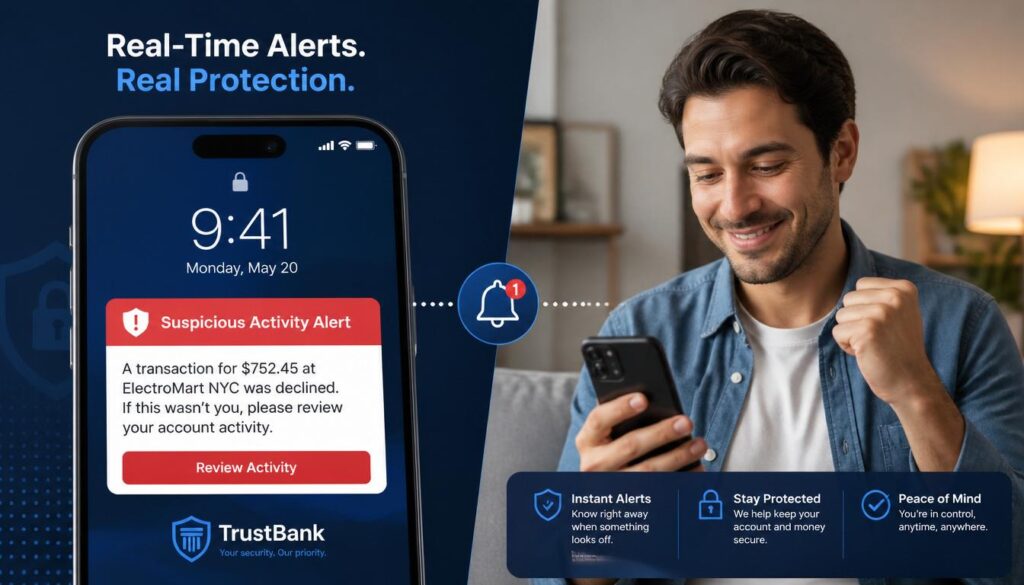
Modern banking applications offer sophisticated alert systems that you should configure immediately. These alerts act as an automated surveillance system for your money. You can customize notifications to trigger based on specific criteria, such as:
- Transactions exceeding a certain dollar amount.
- Any international transactions or foreign currency exchanges.
- The addition of a new payee or bill pay recipient.
- Failed login attempts.
By receiving real-time push notifications or text messages, you can act instantly. If you see an alert for a transaction you did not make, you can lock your card or freeze your account through your banking app in seconds. This rapid response can prevent a hacker from draining your account, turning a potential financial disaster into a minor, easily resolved inconvenience. Customize your alert thresholds to match your normal spending habits so you are not overwhelmed by trivial notifications, which might cause you to ignore a genuine warning.
The Habit of Regular Statement Reviews
While automated alerts are fantastic, they are not infallible. This is why manual, regular account reviews are a critical component of your financial routine. Hackers often test stolen account details with very small transactions—sometimes just a few cents or a dollar—before attempting larger withdrawals. These “micro-charges” are designed to see if the account is active and monitored.
Make it a habit to review your account history and monthly statements at least once a week. Look closely at both posted and pending transactions. Check for unfamiliar merchant names, recurring subscriptions you forgot about, or strange geographic locations. If you spot anything suspicious, contact your bank’s fraud department immediately. The quicker you report unauthorized charges, the higher your chances of recovering the funds under your bank’s zero-liability fraud protections. Consistent monitoring builds strong financial awareness and ensures that no small leak sinks your financial ship.

Hardware and Network Security: Devices and Wi-Fi
Your bank account is only as secure as the device you use to access it. If your smartphone or computer is compromised, no amount of banking security will save you.
Securing Your Devices with Updates and Protection
Operating system and application updates are not just about new features; they are critical security patches. Software developers constantly discover vulnerabilities (often called zero-day exploits) in their code. When they find them, they release updates to fix the holes. If you delay installing these updates, you are leaving your device wide open to known exploits that hackers actively use. Always enable automatic updates for your operating system, web browser, and banking apps.
Furthermore, equip your devices with trusted, reputable antivirus and anti-malware software. These programs run in the background, scanning for malicious code that could steal your keystrokes or capture your screen. Additionally, ensure that full-disk encryption is enabled on your phone and laptop. If your physical device is stolen, encryption ensures that the thief cannot simply remove the hard drive and extract your saved passwords and banking details. Finally, only download apps from official sources like the Apple App Store or Google Play Store, and avoid sideloading software from unverified websites.
The Hidden Dangers of Public Wi-Fi
We have all done it: sat in a coffee shop or airport lounge and logged into our bank account using the free, public Wi-Fi. This is a massive security risk. Public Wi-Fi networks are notoriously unsecured. Because the network is open, hackers on the same network can use “packet sniffing” tools to intercept the data traveling between your device and the router. This can include your login cookies, session tokens, and even your passwords.
Worse, cybercriminals often set up rogue, fake Wi-Fi hotspots with names that look legitimate (like “CoffeeShop_Guest_Free”). When you connect to them, you are handing all your internet traffic directly to the hacker.
If you absolutely must access your bank account while away from home, do not use public Wi-Fi. Instead, use your smartphone’s cellular data connection, which is significantly more secure due to built-in encryption. If you must use public Wi-Fi for other tasks, always connect through a trusted, paid Virtual Private Network (VPN) service, which encrypts your traffic and hides it from prying eyes.
The Human Element: Phishing and Social Media
Technology can only protect you so much; the weakest link in any security system is almost always the human user. Hackers know this, which is why they increasingly target the person rather than the machine.
Recognizing and Avoiding Phishing Attempts
Phishing is a social engineering attack where criminals impersonate legitimate institutions to trick you into handing over your credentials. These attacks usually come via email, text message (smishing), or phone calls (vishing).
A phishing message will often create a false sense of urgency or panic. It might claim your account has been locked, a suspicious purchase was made, or you are owed a refund. They will include a link directing you to a fake website that looks identical to your bank’s real login page, or they will ask you to call a fraudulent phone number.
To defeat phishing, you must adopt a mindset of healthy skepticism. Remember this golden rule: Your bank will never ask for your password, PIN, or full two-factor authentication code via email or text message. If you receive a suspicious message, do not click any links. Instead, close the message, open your web browser, type in your bank’s official URL yourself, and log in to check for any actual alerts. Alternatively, call the phone number printed on the back of your debit card. Always check for subtle spelling errors, strange sender email addresses, and generic greetings. Slowing down and verifying the source is your strongest weapon against these psychological attacks.
Limiting Information Shared on Social Media
You might wonder how your social media habits relate to your bank account security. The connection is identity theft and security question bypassing. When you set up your bank account, you likely answered security questions like “What is your mother’s maiden name?”, “What was the name of your first pet?”, or “What city were you born in?”
Hackers scour social media profiles to find the answers to these exact questions. If you publicly post about your pet’s birthday, share your hometown, or participate in viral quizzes that ask for your first car, you are handing hackers the keys to bypass your security questions.
Audit your social media privacy settings immediately. Set your profiles to private so only trusted friends and family can see your posts. Avoid sharing highly specific personal details, and think twice before posting real-time travel updates that signal your home is empty. By minimizing your digital footprint and keeping personal details off the public internet, you make it exponentially harder for criminals to impersonate you or guess your security credentials.

Advanced Strategies: Recovery and Layered Defense
The final steps in securing your finances involve preparing for the worst and adopting a holistic security philosophy.
Keeping Backup Contact and Recovery Options Updated
When you open a bank account, you provide contact information for account recovery and security alerts. Over the years, people change phone numbers, switch email providers, or update their addresses, but they often forget to update this information with their bank.
If your account is compromised and you lose access, or if you get locked out due to a forgotten password, the bank will rely on these recovery options to verify your identity. If your phone number on file is an old, disconnected number, you could be locked out of your own money for weeks while you prove your identity in a branch.
Take ten minutes today to log into your bank’s security settings and verify that your primary phone number, email address, and physical address are 100% current. If your bank allows it, add a trusted backup email address or a secondary contact person for emergency recovery scenarios. This simple administrative task can save you from a massive headache during a security crisis.
Using Multiple Security Layers for Maximum Protection
There is no single “silver bullet” that will stop every possible cyber attack. True security relies on a concept called “Defense in Depth.” This means creating multiple, overlapping layers of security so that if one layer fails, another catches the threat.
Think of your financial security like a medieval castle. Your strong password is the moat. Two-factor authentication is the stone wall. Device encryption is the guard at the gate. Account alerts are the watchmen in the tower. If a hacker manages to cross the moat (steals your password), they still have to scale the wall (bypass 2FA). If they somehow get past the wall, the guard (antivirus software) stops them.
By combining strong passwords, authenticator-based 2FA, updated devices, cautious network habits, and vigilant monitoring, you make yourself an incredibly hard target. Cybercriminals are looking for low-hanging fruit. By implementing these multiple layers, you ensure that your financial house is impenetrable, allowing you to focus on growing your wealth rather than worrying about losing it.
Conclusion
Protecting your bank account from hackers is not a one-time task; it is an ongoing practice that integrates seamlessly into your broader personal finance strategy. By upgrading your passwords, enforcing two-factor authentication, monitoring your statements, securing your devices, and staying vigilant against phishing, you build an impenetrable shield around your hard-earned money.
Financial freedom requires both the wisdom to grow your wealth and the diligence to protect it. Take action today by implementing just one or two of these security measures, and gradually build up your digital defenses. Your future self, and your bank balance, will thank you.
Frequently Asked Questions (FAQ)
1. Is SMS text message Two-Factor Authentication (2FA) safe enough for my bank account?
While SMS 2FA is significantly more secure than using no second factor at all, it is not the most secure option available. SMS codes can be intercepted through “SIM swapping” attacks or SS7 network vulnerabilities. For the highest level of security, you should use an authenticator app (like Google Authenticator or Authy) or a physical hardware security key, which generate codes locally and cannot be intercepted over cellular networks.
2. What should I do immediately if I suspect my bank account has been hacked?
Act instantly. First, contact your bank’s fraud department using the official phone number on the back of your debit card or their official website to freeze your account and cards. Next, change your online banking password and the password for the email address linked to the account. Finally, run a full antivirus scan on your devices to ensure no malware caused the breach, and file a report with your bank and local authorities if funds were stolen.
3. How often should I change my banking passwords?
In the past, experts recommended changing passwords every 30 to 90 days. However, modern cybersecurity guidelines (including those from NIST) now suggest that frequent mandatory changes can actually lead to weaker passwords. Instead of changing it arbitrarily, use a highly complex, unique password and only change it if you suspect a breach, if you receive notice of a data breach from a service provider, or if you notice suspicious account activity.
4. Are password managers safe to use for storing my banking credentials?
Yes, reputable password managers are highly secure and are strongly recommended by cybersecurity professionals. They use military-grade AES-256 encryption to store your data, meaning even the password manager company cannot read your passwords. The security of a password manager relies entirely on the strength of your “master password.” As long as you create a long, complex, and unique master password and enable 2FA on the password manager itself, it is vastly safer than reusing passwords or writing them down.
5. How do hackers typically get access to my personal banking information?
Hackers rarely “break into” a bank’s mainframe; instead, they target the individual user. The most common methods include phishing scams (tricking you into entering your credentials on a fake site), credential stuffing (using your password from a breached third-party website to access your bank), malware/keyloggers installed on your device, and exploiting unsecured public Wi-Fi networks to intercept your data. Securing your personal habits and devices directly neutralizes these common attack vectors.